
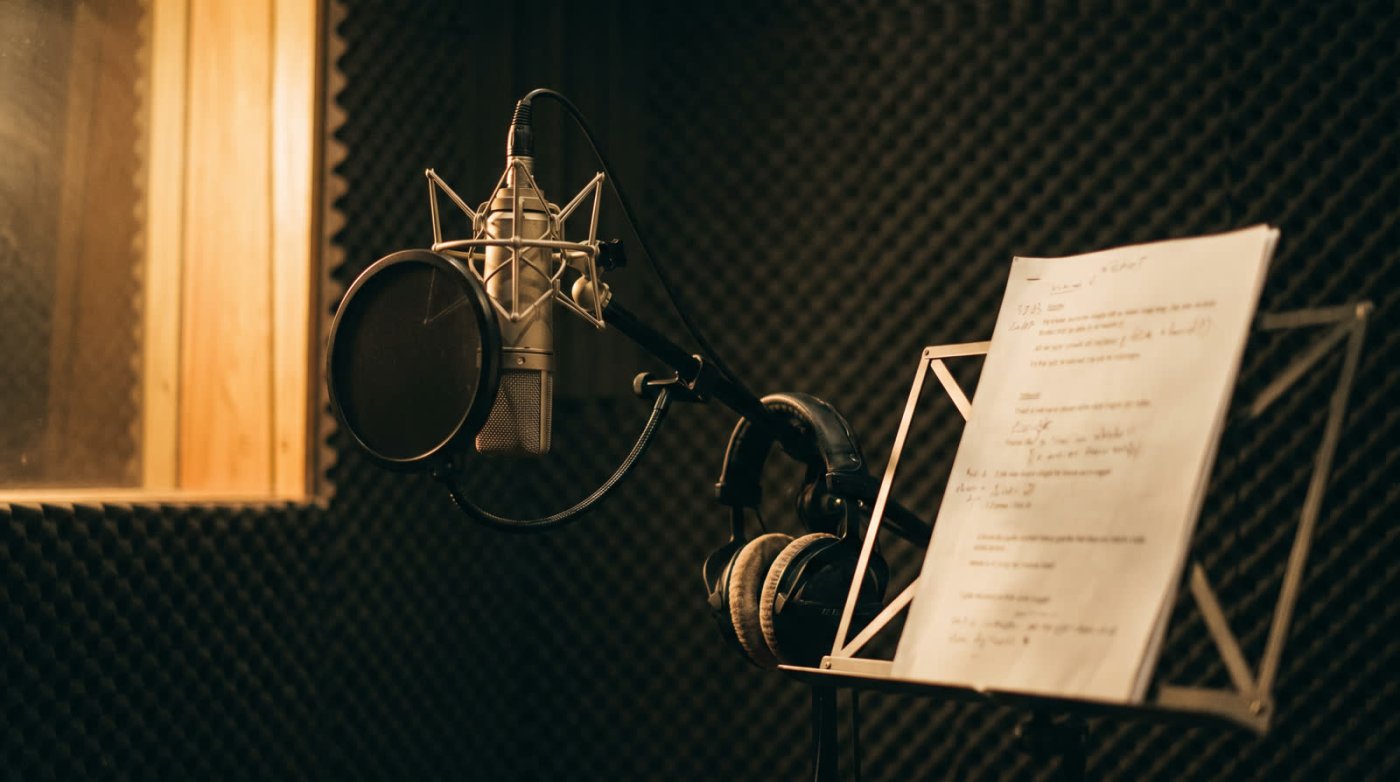
Getting started takes more than a microphone and something to press record on, but not as much more as the shopping sites would like you to think. If you're serious about a career in voice over, here's what a working home studio is actually made of, in the order it matters.
What equipment do I need to record voice overs?
The signal path
- The roomQuiet, and dead. No traffic, no fridge, no echo. Treat it before you buy anything else.
- MicrophoneShapes the sound more than anything else you'll own. USB or XLR is the first decision.
- InterfacePowers the mic, amplifies it cleanly and converts it to digital. Built into a USB mic; a separate box for XLR.
- Computer and softwareRecord, edit, export. Any recent computer; Audacity is free and Reaper is nearly so.
- HeadphonesClosed back so nothing leaks into the mic. For monitoring while you record, and for the edit afterwards.
1. A quiet, treated space
Nobody puts this first and everybody should. The best microphone in the world in an echoey bedroom sounds like an echoey bedroom. What a client hears is your voice plus your room, so the room is the first purchase, even if the purchase is a walk-in wardrobe full of coats. You want two things: as little outside noise as possible (traffic, fridge, computer fan), and as little reflection as possible (the boxy ring a bare room adds to every word). Duvets, moving blankets, a closet full of clothes and a rug will get a beginner surprisingly far. Acoustic panels, a purpose-built booth or a proper vocal shield come later. Treat first, then buy the mic. If you already have a setup and something about the sound still bothers you, that's a different job, and it starts with finding the one weak link rather than replacing the microphone.
2. The microphone
The mic captures your voice, and it shapes the sound more than anything else you'll buy. The choice that matters most isn't the brand. It's USB or XLR, and we've written a whole read on it: analog to digital. Short version: a USB mic is simpler and fine to start; an XLR mic with an interface is what most working actors end up on. When you're ready to choose a model, the best microphone for voice over work covers the ones that keep coming up.
3. The audio interface
An XLR microphone needs an interface: a small box that powers the mic (condenser mics need 48 volt phantom power), amplifies its tiny signal cleanly with a preamp, converts it to digital and hands it to your computer over USB. The old rule of thumb was that a recording is half the mic and half the preamp. Modern interfaces from the well known makers are clean and quiet at every price, so this is one place a beginner doesn't need to spend big. A single-input interface from a reputable brand is plenty. If you go USB mic, the interface is built in and you skip this line.
4. Headphones
Closed-back headphones, so the sound doesn't leak into the mic. Some experienced actors record without them, but as a beginner you need them for three things: hearing your own pronunciation and mouth noise while you record, catching stray sounds you'd otherwise miss, and editing, where you'll spend more time than you expect. Earbuds aren't good enough for the editing part.
5. A stand
A mic stand or a boom arm holds the microphone still and at the same distance from your mouth every time, which is most of what "consistent sound" means. A desk stand works. A boom arm clamped to the desk keeps the desk itself out of the recording and lets you stand, which most people read better doing.
6. Pop filter or windscreen
P and B sounds throw a puff of air that lands on the capsule as a thump. S sounds hiss. A pop filter, the mesh disc on a gooseneck in front of the mic, tames the plosives and gives you a fixed distance to work from. A foam windscreen does a lighter version of the same job. Cheap, essential, and the one thing on this list nobody argues about.
7. Shock mount
The cradle of elastic bands that suspends the mic so it doesn't pick up the thump of your hand on the desk or footsteps through the floor. Many microphones come with one. If yours didn't, get one that fits.
8. Recording and editing software
The programme you record and edit in. Beginners are often surprised that the free and cheap options are enough: Audacity is free and capable, Reaper is inexpensive and used by many professionals, and there are good paid suites if you want them later. Most clients want a clean, edited file, not a mixed masterpiece, so the skill matters more than the software. You can grow into a bigger programme when a job needs it.
Two starter setups, with rough totals
To make the list concrete, here are two ways to put it together. Prices are rough US figures for new gear and they move, so treat the totals as a scale, not a quote. If you want today's figures instead of a scale, three complete kits are priced up and checked by hand. Both assume you've already dealt with the room using what you own.
Setup AUSB, around $350
- A good USB condenser, around $170
- Closed-back headphones, around $100
- Boom arm or desk stand, around $50
- Pop filter, around $20
- Room: duvets, a closet, a rug. $0 to start
Setup BXLR, around $650
- AT2020 or Rode NT1, $100 to $250
- Single-input interface, around $140
- Closed-back headphones, around $100
- Boom arm, pop filter, shock mount, around $90
- A first set of acoustic panels, around $100 to $200
On the room, specifically: the cheapest treatment that works is soft things close to the mic. A closet full of clothes is a famous voice over booth for a reason. A moving blanket hung behind you kills the reflection that lands on the mic first. A rug under your feet stops the floor ringing. Do those three before buying panels, then buy panels for the wall you face and the ceiling above the mic, in that order. Bass traps in corners come last and only if you can hear why you need them.
That's the whole studio. It fits in a corner, it costs less than most people's first car, and with a bit of practice it'll record work that goes on air anywhere in the world.
Every piece on this page is listed with what it costs today, and what each one is actually for, in the gear room. And once the studio is working, it's worth knowing the whole chain fits in a cabin bag, which is how a good many working actors keep taking jobs while they're away.
End of read 10 of 21